New
Lay flex track in a straight line, curve, or freeform
Flex track can now be laid in three ways: as a straight section, as a curve where you specify the radius, angle, or both, or—as before—freely bent. This is especially helpful for track systems without curved sections, such as Peco Streamline.
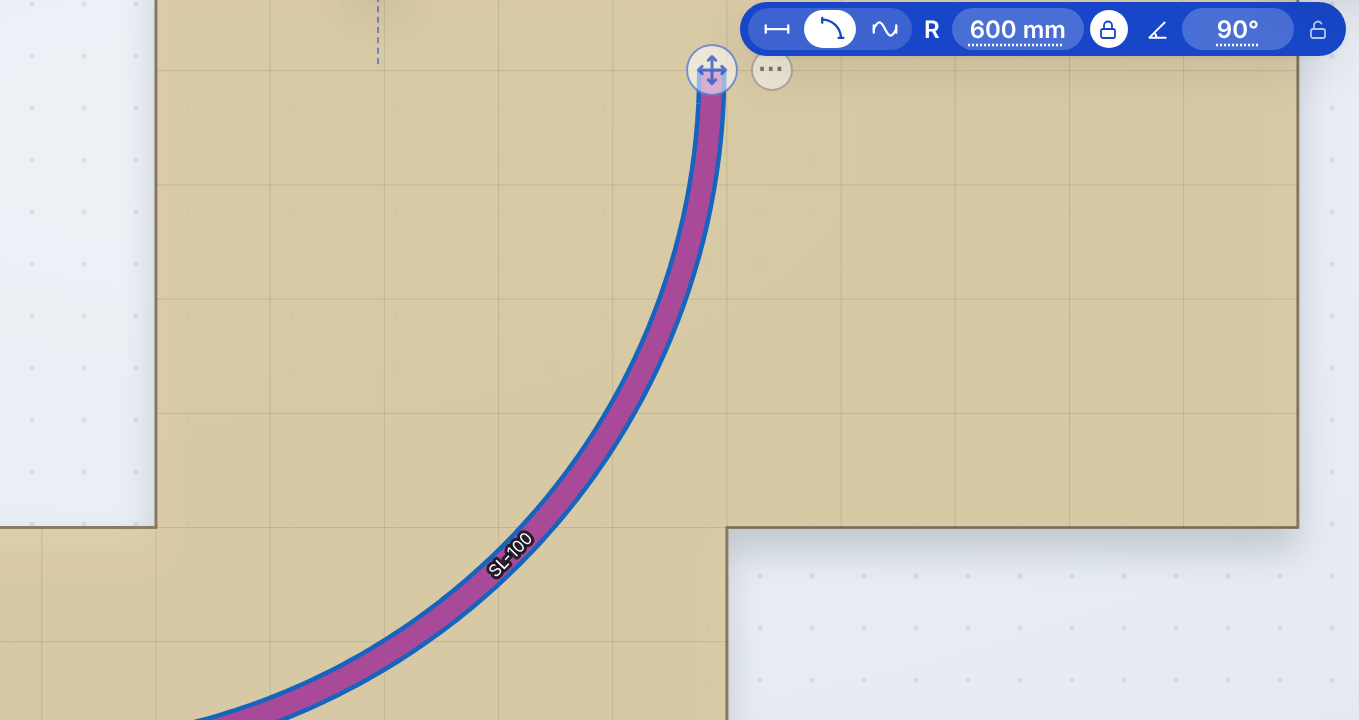
- Toggle: in the blue bar at the end of the track or in the info window at the bottom of the dock.
- Straight: Drag to set the length or type it in. If you drag the end horizontally, it becomes an arc. The radius snaps to radii that already exist in the plan.
- Arc: Type the radius and angle into the blue bar, either individually or both. The lock icon next to it determines what remains fixed while you drag: the radius (in which case the end follows the circle up to 350°), the angle (in which case only the radius changes), or neither. A three-quarter circle will therefore be perfectly round. The angle snaps to 15° increments and to the axes of the plan; nothing snaps when the Shift key is held down.
- Connecting to an open end: If a straight line or an arc fits, the track will connect to it. Otherwise, a free-form track is created, and the toolbar indicates this in advance.
- Return to free form: The track reverts to the curve it had previously.

Automatically translated ·