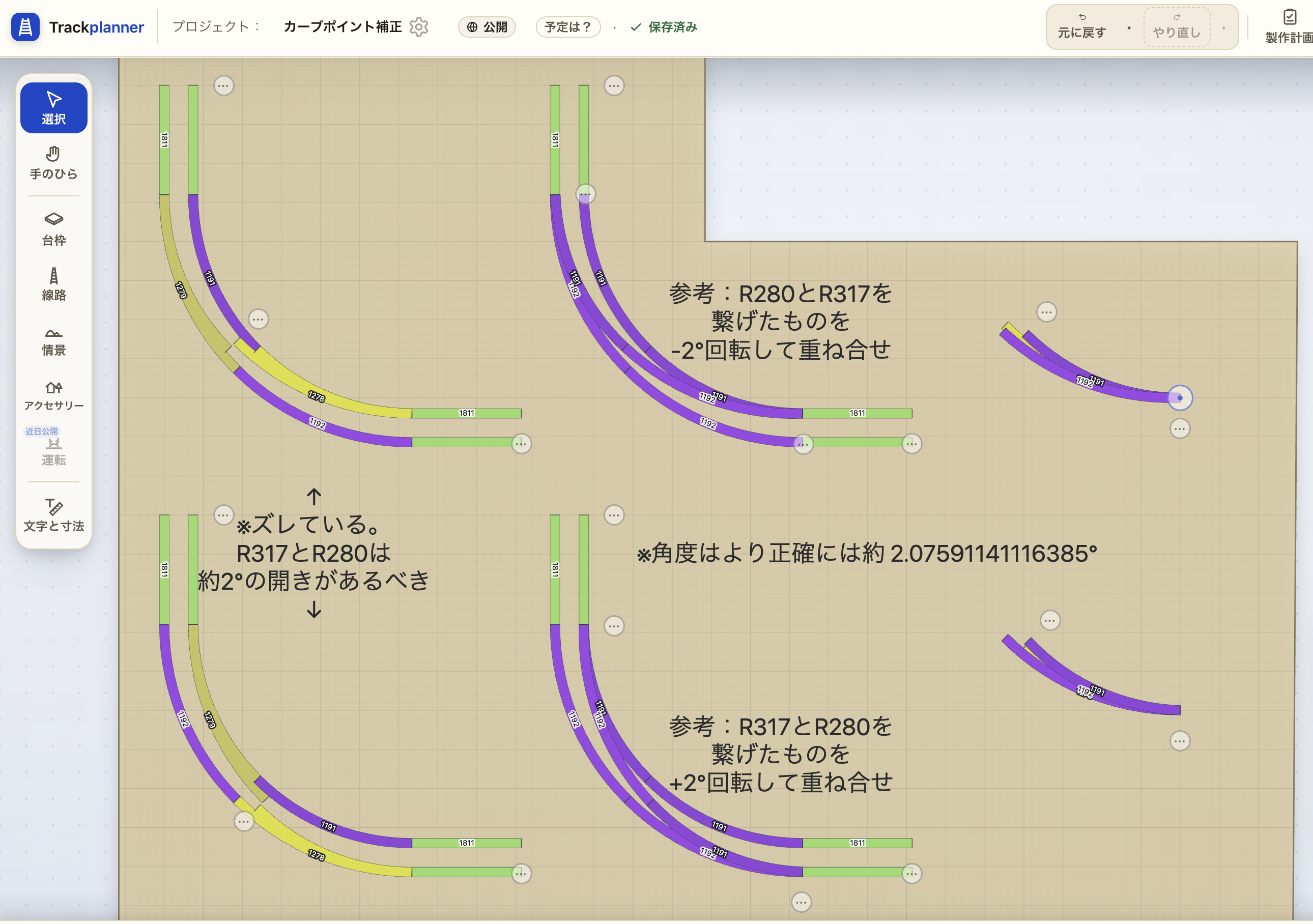
Additional Notes
I researched and compared how other layout tools (those readily available to me) handle this.
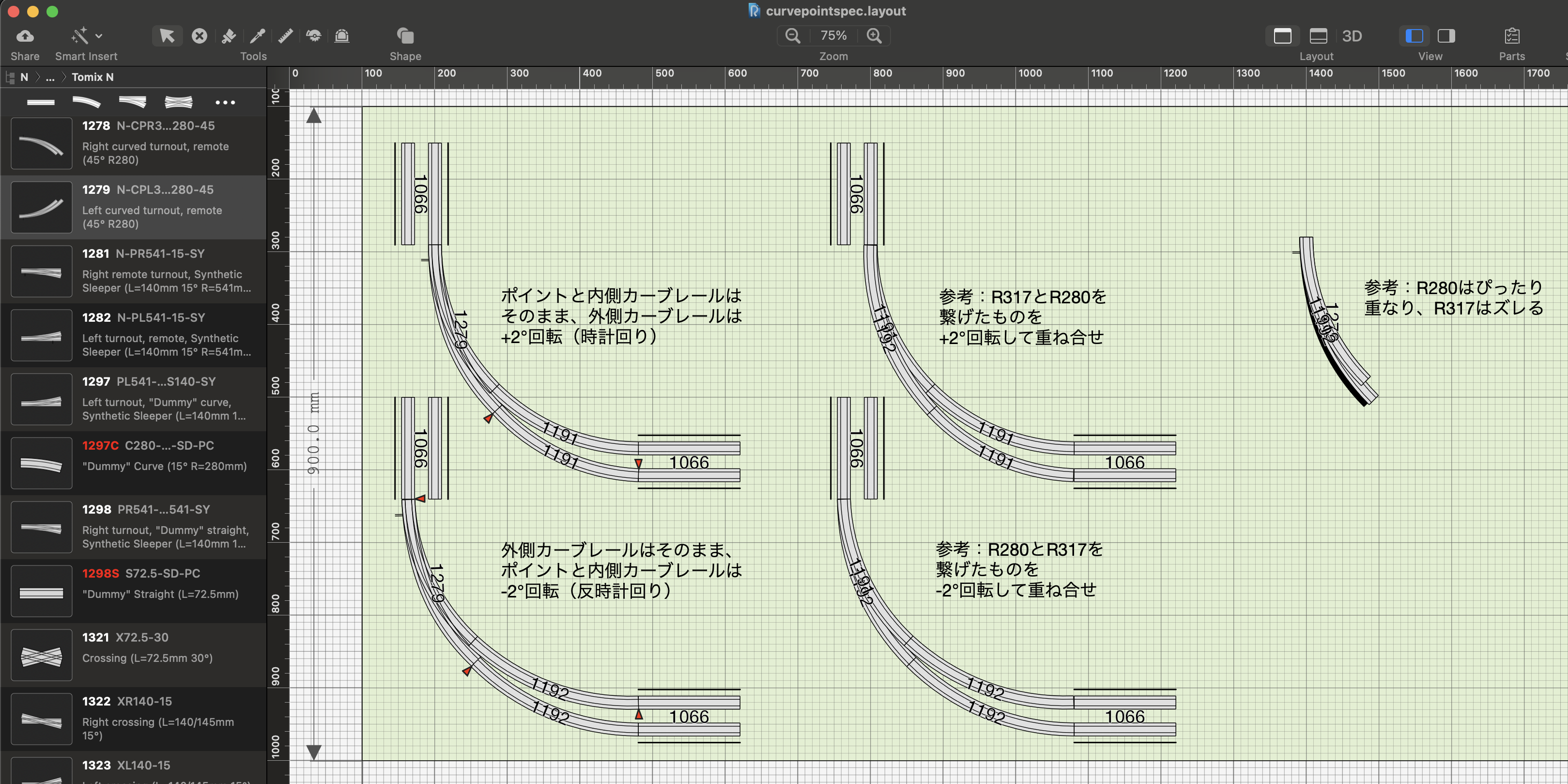
- RailModeller Express (Mac): Based on R280; the R317 tracks are overlapped with a 2° outward angle (same as this proposal).
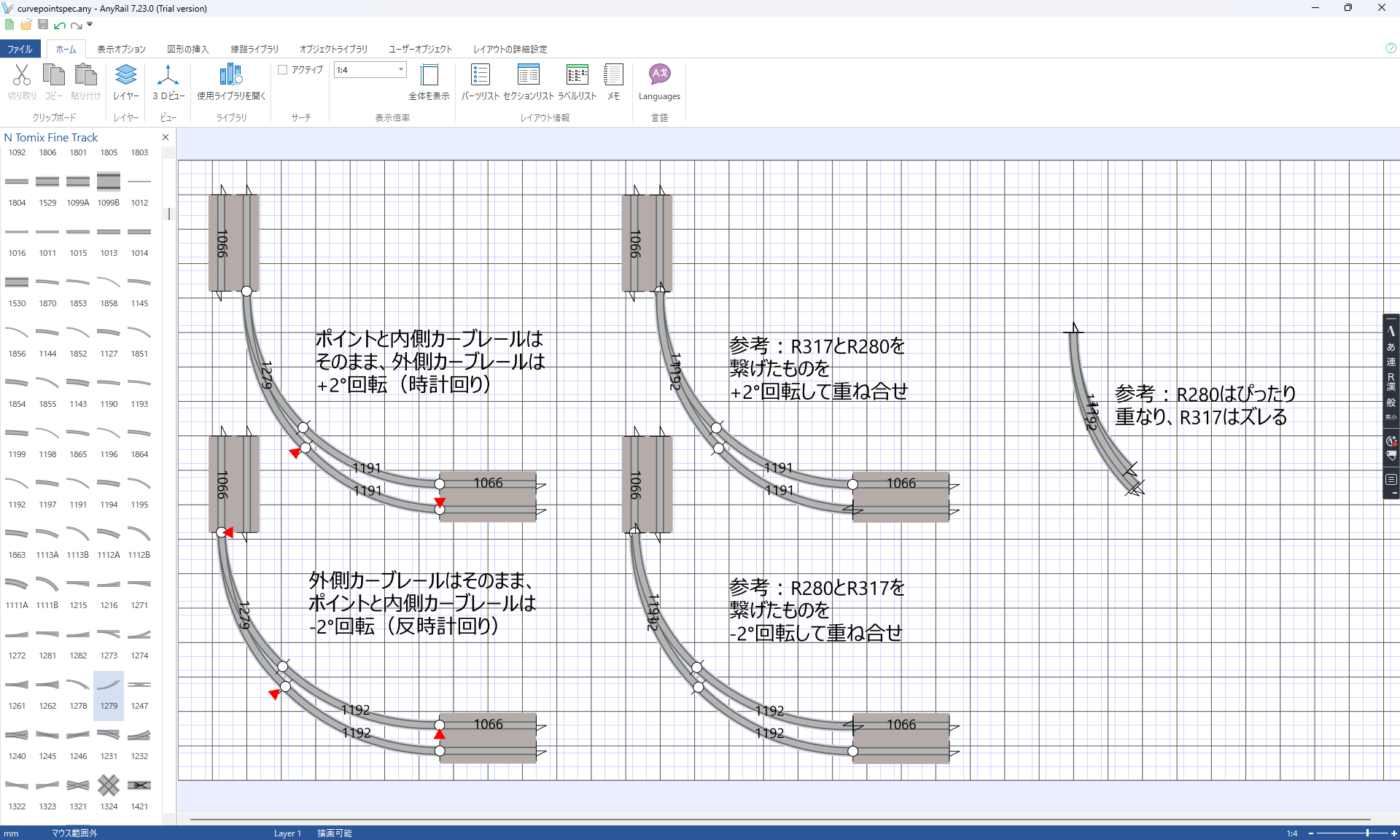
- AnyRail (Windows, free version): The base is R280, and the R317 rails are stacked with a 2° outward angle (same as this proposal).
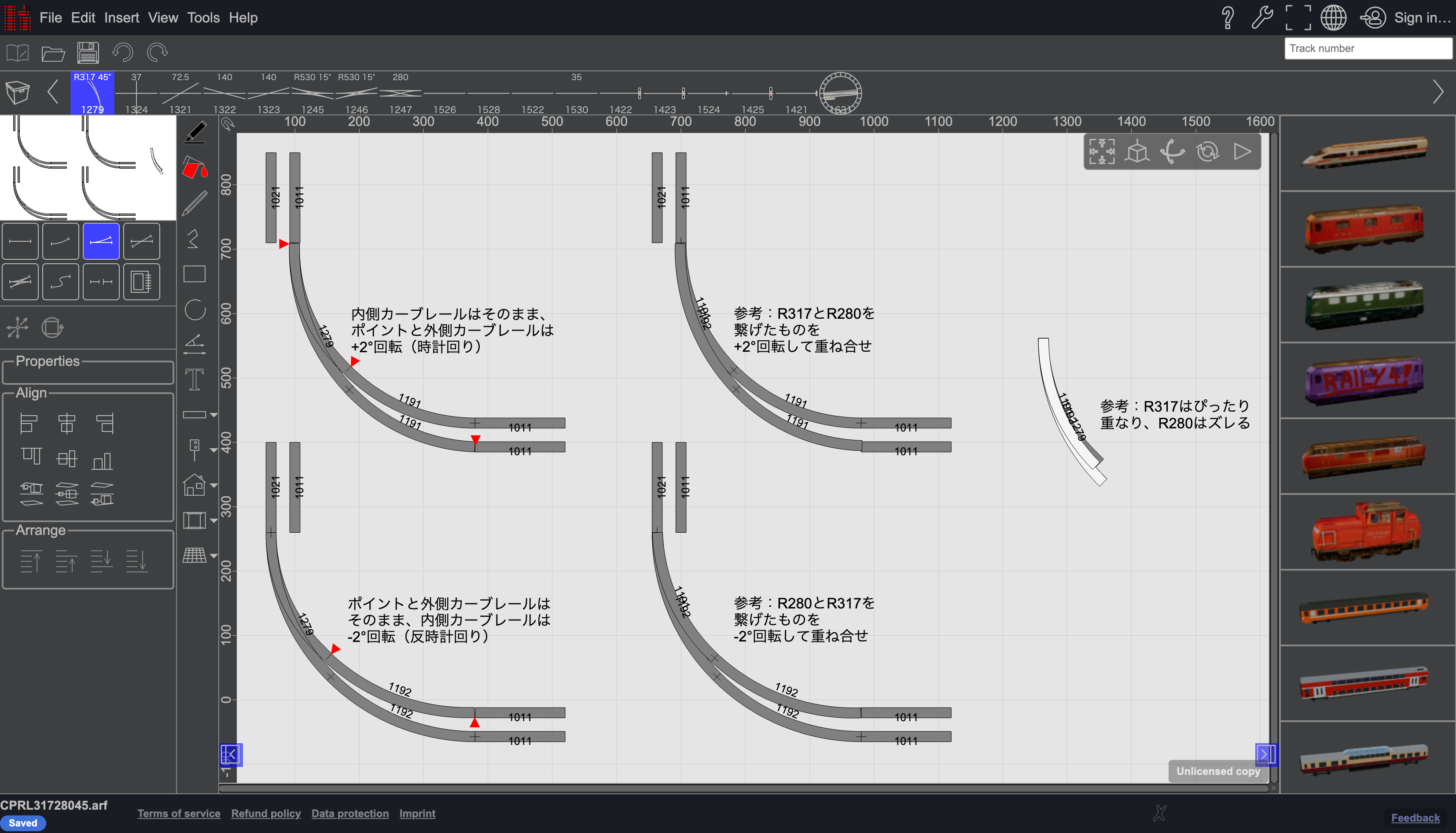
- Raily 5 (Web, free version): The base is R317, and the R280 is overlaid with a 2° inward angle.
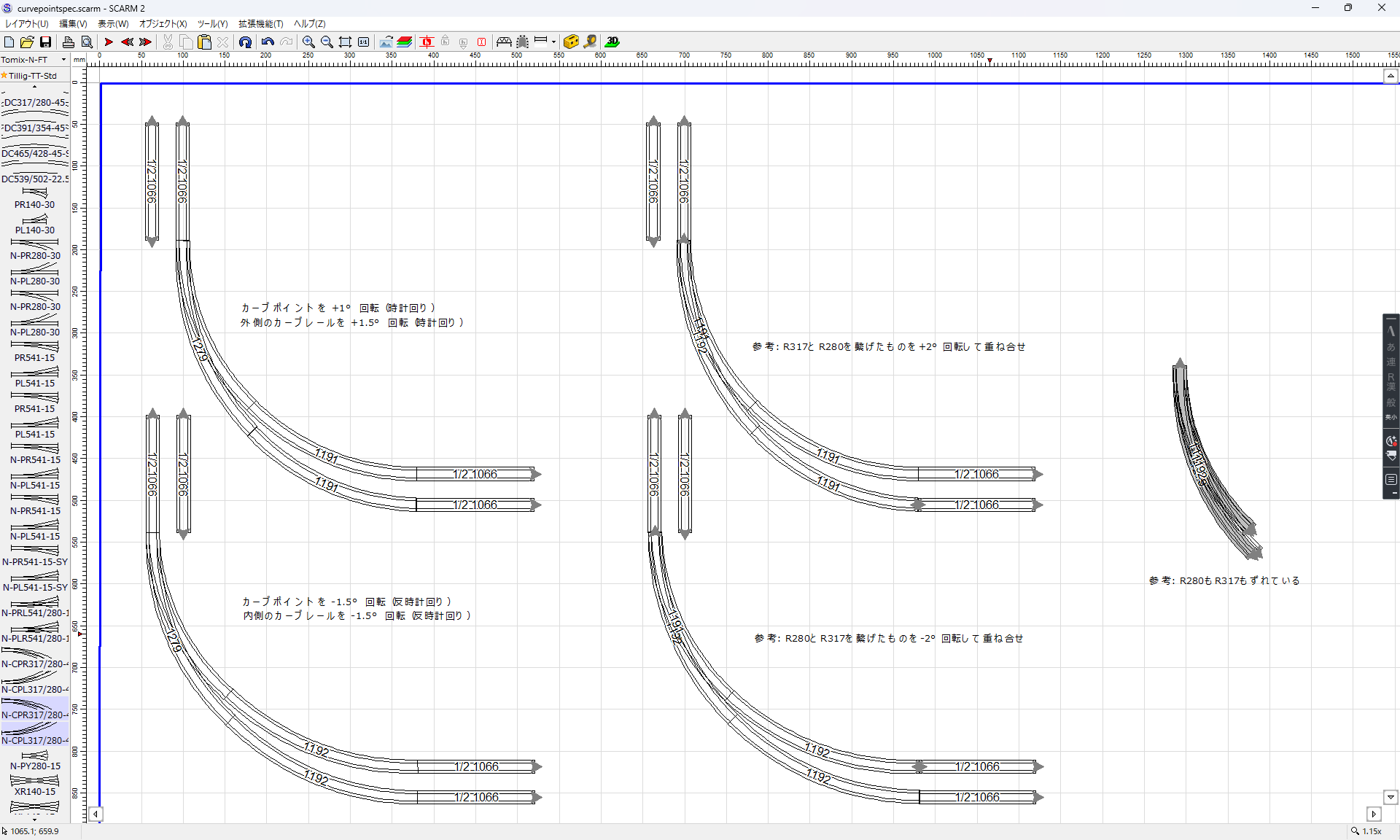
- SCARM (Windows, trial version): Both the R317 and R280 sides are overlapped with their angles offset (and they seem to be spread too far apart; this was the most difficult to align).
Additionally, although I haven’t been able to verify this myself, I’ve heard that “Railway Model Simulator NX (+TOMIX SE 2)” uses the “R317 standard” (i.e., the same as Raily 5).
Reasons for This Proposal (R280 Standard)
- Based on my research, many layout tools use R280 as their standard.
- In fact, there are many examples where tracks branch outward from an R280 curve.
- Using R280 as the standard minimizes the need for fine-tuning through blending and joining, resulting in a visually clean connection (see connection examples in RailModeller Express and AnyRail).
- However, a 2° misalignment will inevitably occur, so techniques such as “rotating while holding down the Alt key” and “temporarily disabling automatic rail connection” are necessary.
Additional Notes: For Translation
-
Explanations in the RailModeller Express and AnyRail diagrams
- Top left: Leave the switch and inner curve rail as is; rotate the outer curve rail by +2° (clockwise)
- Bottom left: The outer curve rail remains as is; the switch and inner curve rail are rotated -2° (counterclockwise)
- Top center: For reference: Rotate the connection of R317 and R280 by +2° and overlay them
- Bottom center: For reference: Rotate the connection of R280 and R317 by -2° and overlay them
- Right: For reference: R280 aligns perfectly, while R317 is misaligned
-
Explanations in the Raily 5 diagrams
- Top left: The inner curve rail remains as is; the switch and outer curve rail are rotated +2° (clockwise)
- Bottom left: The switch and outer curve rail remain as is; the inner curve rail is rotated -2° (counterclockwise)
- Top center: For reference: Rotate the combination of R317 and R280 by +2° and align them
- Bottom center: For reference: Rotate the combination of R280 and R317 by -2° and align them
- Right: For reference: R317 aligns perfectly, while R280 is misaligned
-
Explanations within the SCARM diagram
- Top left: Rotate the curve point +1° (clockwise); rotate the outer curve rail +1.5° (clockwise)
- Bottom left: Rotate the curve point -1.5° (counterclockwise); rotate the inner curve rail -1.5° (counterclockwise)
- Top center: Reference: Rotate the connection of R317 and R280 by +2° and align them
- Bottom center: For reference: Rotate the connection of R280 and R317 by -2° and overlay them
- Right: For reference: Both R280 and R317 are misaligned