Changelog
What's new at Trackplanner.
- New
Plarail and new track sections for several systems
Plarail, the blue toy train set from Japan, is now listed in the catalog under “Toys”: straight tracks, half-straight tracks, double straight tracks, three-quarter straight tracks (also available with two pins or two holes), curves, and…
Addresses: 4 requests - New
Background scenery for the layout
New in Accessories: Background backdrops. You drag a backdrop to the edge of the layout; it wraps around the board with rounded corners and is also visible in 3D view. The length and height are listed in the construction plan. Available for purchase…
- Improved
Connect bypasses tracks and shows more clearly what it's building
The automatic connection of two track ends has improved in several ways: Trains now reliably go around tracks at the same elevation rather than crossing them. This now works even when the detour…
- NewPremium
New: Control Panel as a Rocrail file and as a PDF
Under “Export,” there is now an option called “Control Panel.” It converts your track plan into a schematic track layout on a grid, in two formats: Rocrail (Track Plan): a workspace that you can use in…
Addresses: 1 request - NewPremium
Shortening Tracks and Shortened Tracks in the Fleet
You can now design tracks that aren't listed in the catalog and add them to your inventory: cut-off straight tracks, shortened curves, and even turnouts. Tracks that have already been shortened are in "My Inventory" Next to…
Addresses: 1 request - Improved
Check: clearer, with new notes
The check flags fewer duplicates and identifies more issues that interfere with construction. If the same note appears three or more times, it is listed as a single summary card, with the numbers of the locations on the plan…
- New
New Track Sections and Corrections
New Kato Unitrack N: Flexible Track 808 mm with wooden ties (21 000) and with concrete ties (21 001), both without ballast. Also available is the Joint Ballast 20 099, the 20-mm-long transition piece from Kato between…
Addresses: 3 requests - Fixed
Bug Fixes: Export, Parallel Track, Clearance Profile
PDF export is working again for large plans. Previously, when exporting plans with several hundred tracks, the process would fail with an error message, and the suggestion to try saving as a PDF didn't help. The PDF…
- New
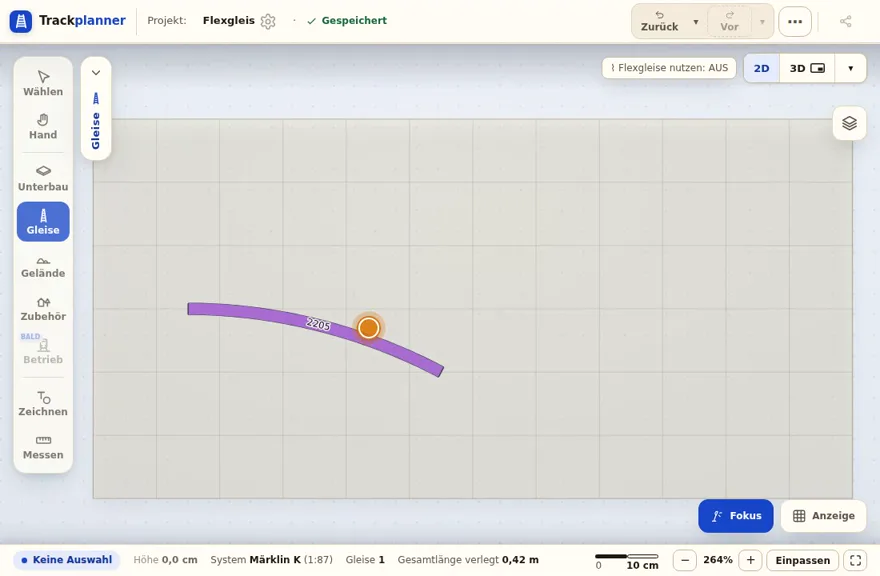
Lay flex track in a straight line, curve, or freeform
Flex track can now be laid in three different ways: straight, in a curve where you specify the radius, angle, or both, or freely curved as before. This is especially helpful for track systems…
Addresses: 1 request - New
New: Kato, Power-Loc, TrixBrix, Bakelite track, Märklin C and M, Tillig TT
New: Kato Unitrack N: Double track with a 33 mm track gauge. This includes straight tracks ranging from 62 to 248 mm with concrete ties or as ballastless track, as well as connecting tracks, where each of the two tracks…
Addresses: 2 requests - New
SCARM plans can now be imported
Trackplanner now opens track layouts in SCARM (.scarm) format. Tracks and turnouts are imported as actual catalog parts using their part numbers, along with flexible tracks, elevations, levels with their colors, roads, and…
- New
New: Photo Mode – Save Views and Render as Images
The 3D view now includes a photo mode: access it via the camera button or under “3D Image” in the export menu. Frame a view in the desired format, save it as a view in the plan, and…
- New
Duplicate drawings and copy parts to other drawings
You can now duplicate plans even without a Premium subscription. You can also copy parts of a plan and paste them into the same plan or a different one—even in a different browser tab. Here's how to create a…
- New
Trackplanner is now available in Japanese, Danish, and Norwegian
The app is now available in Japanese, Danish, and Norwegian (Bokmål): menus, instructions, plan review, construction plans, printing, and emails. If your browser is set to one of these languages, it will launch…
- New
Roco H0 2.5 mm, Gauge 0 from Atlas and MTH, more Kato HO and Lionel FasTrack
New: Roco H0 with a 2.5 mm profile (Code 100), the older Roco track predating Roco Line: now available as a separate track system featuring straight tracks, curves, turnouts, DKW, crossings, and curved turnout sets—Roco Line without…
Addresses: 1 request - NewPremium
Landscape and 3D: Land, Water, Roads, Snow
Landscape (Premium) In the Landscape tool, you can draw areas with a surface type: farmland, gravel, pavement, asphalt, and water. The line defining the area is the edge, which can be hard or soft depending on the surface type.…
Addresses: 1 request - New
New Track Systems and Corrections
New: BRIO is now available as its own track system, featuring straight tracks in four lengths and a large curve. The pieces have the same dimensions as the wooden train set (standard), and both can be laid out in a single layout…
Addresses: 2 requests - NewPremium
Planning Elevations Using Anchors Instead of Grade Per Track
You now set elevations at fixed points, called elevation anchors. The Trackplanner distributes the gradient evenly along the track length between these points. Turnouts are automatically laid horizontally, so a station remains…
- New
New Track Systems: TOMIX, Trix C, Rokuhan Z, and More
Ten new track sets have been added to the library, and three existing ones have been expanded with additional parts. New additions include TOMIX Fine Track (N), as well as double-track sections and bridges; Trix C (H0); Hornby TT; and Bachmann E Z Track…
Addresses: 1 request - Fixed
Uploaded images and documents remain stored
Inserted images—including the tracing template—had not yet been saved with the plan in the cloud. After reloading the page or switching to another device, they were missing, and you had to re...
- ImprovedPremium
The transition curve depends on your car
A transition curve from the track design review is now at least as long as your longest car. This way, even a long passenger car can smoothly enter the curve instead of being pushed off the track as it approaches…
- Improved
3D View Now Available in Any Size—Even for Free
The 3D view is now available to everyone in any size: in addition to the small 3D window, you can also choose Side-by-Side, Stacked, and 3D Only. This lets you see tunnels, bridges, and elevation changes in your layout up close and allows you to…
- New
New: LEGO City and LEGO 9V; Duplo redesigned
You can now build with the LEGO train set: LEGO City (plastic tracks with straight pieces, curves, left and right turnouts, and flexible tracks) and the older LEGO 9V metal track set with a 90° crossing. The dimensions come from…
- Improved
Flex Switches: A Compact Guide with Explanations
The "Flex Tracks" button in the upper right corner is now simply called "Flex" and has been translated in the English interface. It now appears only in the "Select" and "Tracks" toolbars, where it is also functional. About…
Addresses: 1 request - Improved
Turnouts and crossover turnouts with a clean sleeper pattern
On turnouts, crossover turnouts, and three-way turnouts built in the “Real” style, there were often double ties or ties laid diagonally on top of one another; sometimes some were missing at the tip of the turnout. Now there are…
- New
New: H0e narrow-gauge trains from Roco, Peco, and Tillig
Starting now, you can also plan layouts for 9 mm narrow gauge: Roco H0e, Peco H0e Code 80 (Streamline OO 9/H0e), and Tillig H0e are available in the system selection under H0e (1:87). Roco H0e offers straight tracks, curves, turnouts…
- NewVideo
Flexible tracks: Enter the length and snap them into place along the edge of the panel
When drawing a straight Flex track or extending a straight track segment, the editor now displays “Length … cm.” The value remains on the screen after you let go—click on the number, and you…
Addresses: 1 request